Wednesday, 24 July 2019

Review RAVPower Fast Wireless Charging Stand with 7.5W Charging iPhone X And 8

RAVPower Fast Wireless Charging Stand

Buy Now From Amazon.com  

Wireless Charging Stand RAVPower 2 Coils 7.5W Qi-certified Compatible iPhone XS MAX XR X 8 & 8 Plus with HyperAir, 10W Qi for Galaxy S9 S9+ Note 8 All Qi-Enabled Devices (Black)  

When it comes to wireless charging, there seems to be mainly two groups. Ther are those that absolutely love wireless charging, and then there are those that really don’t care about it. Both sides have good points and that’s because wireless charging is a very convenient way to change our smartphones because there are no charging cables that are going into them. At the same time, with charging technologies such as Quick Charge and Power Delivery being compatible with many smartphones on the market, wireless charging speeds don’t compare very well at all.

This RAVPower wireless charging stand is one of the most useful wireless chargers on the market. That’s because it has a great form factor and even though it might not feature Quick Charge speeds, it does have some powerful wireless charging that’s going to be useful for charging compatible smartphones as fast as possible.

Another reason that we have high hopes for this charger is that it’s from a very well established brand, RAVPower.

Power

Output Charging:


Using a wireless charger is very easy, just place your smartphone on top of the charger and carry on with your day, and there are no charging cables that you have to place on your smartphone. That said, as easy as they are to use, charging speeds are their main flaw unless you have the right smartphone that is compatible with the right changing tech. This RAVPower wireless charger is basically just that.

Samsung smartphones are compatible with Fast Wireless charging at a 10W power output or 5V/2.0A in terms of charging speed. This wireless charger features Fast Wireless charging and can, therefore, charge Qi-compatible Samsung smartphones at their max Wireless charging rates. Just remember, we’re talking about wireless charging only if you want to charge your newest Samsung Galaxy S8 at its real max charging speed, then you have to use a Quick Charge port with a charging cable.

Other devices that this charger caters very well to are the iPhone X and the iPhone 8. That’s because this charger is able to charge either of them at a 7.5W power output, or 5V/1.5A. The standard charging rate that all other types of Qi-compatible smartphones receive from this charger is 5V/1.0A.

Overall, if you own Samsung smartphone or iPhone that’s compatible with Qi charging, then this charger is going to be very useful. That said, if you own an Android smartphone that isn’t Samsung but is still Qi compatible, then you might want to consider getting a different charger because this wireless charger has a high price point for that reason and also because it comes with a Quick Charge wall charger.

Input Charging:

This RAVPower wireless charger uses a Micro-USB input port and you must use a Quick Charge wall charger to power it in order to have all the output charging capabilities that we mentioned above. The great part about purchasing this wireless charger is that it actually comes with a Quick Charger wall and a Micro-USB charging cable.

Design

Size and Weight:

The size of this charger is quite small, but at the same time, since it’s a stand it’s noticeable enough and large enough that it’s actually better for the user experience. It has a height of 5 inches, and the width/depth of the charger is 2.8 inches. Placing your smartphone on the charging stand is great as there’s enough space that you can just set and forget about it.

Functional Components:


Using this charger is quite easy, as once it’s powered, you can either set your smartphone vertically or horizontally on this charger and it’ll still charge your smartphone. That’s because they are two charging coils that are being used. One at the top and one at the bottom.


At the bottom of the charger is where there’s a 1 inch long LED light that shows what the charger is doing. There’s a Red and Greenlight. The Red light that’s solid means that charger is in standby mode and then it turns off. The Red blinking means that there’s something foreign on the charger.

Then there’s the Greenlight with blinking Green light meaning that the charger is charging, a then a Solid Green light means that your smartphone is fully charged and the charger will turn off after 15 seconds.

The only real problem with using this wireless charger is that the stand portion of the charger is actually very slim and there’s really no room to actually move your smartphone during charging.

Build

Structure and Material:

Build quality is what you can expect from most RAVPower products and that would be that this charger has a solid build quality. Most of the charger is made of plastic, but it has a good amount of support where the stand part is, and the bottom part where your smartphone goes is a rubber pad. 

Also, at the bottom of the charger is where there’s a rubber pad so that the charger doesn’t slide around either.

Tech:

The charger does get warm during charging, and it gets the warmest if you’re charging a Samsung smartphone as that’s when the charger is outputting the fastest charging rate. Nothing serious though as heat generation during wireless charging is completely normal.

Reliability

This RAVPower Fast wireless charger is one of the best wireless chargers on the market as it caters to charge the Samsung smartphones and Qi-compatible iPhones at heir max wireless charging speeds. It can also charge all Non-Samsung smartphones at their max wireless charging rate of 5V/1.0A, but if that’s what you have, it’s better to just get a standard wireless charger.

Summary:

Power:

Wireless charging power with this one is at its best as it provides powerful charging speeds for all Qi compatible smartphones.

Design:

It has a very vertical design and the lights indicate what the charger is doing. Not much room to move your smartphone around, but you can place your smartphone either vertically or horizontally because of its use of two charging coils.

Build:

Build quality is on the Standard that we know RAVPower for and that means it’s not going to break down so easily.

Reliability:

Has powerful Fast Wireless charging for Samsung Qi compatible smartphones and the iPhone X / iPhone 8.

Specs of the RAVPower Fast Wireless Charging Stand with 7.5W Charging for iPhone X / iPhone 8:

  • Output:
Fast Wireless Charging for iPhone X and the iPhone 8: 5V/2.0A
Fast Wireless Charging for Samsung Qi Compatible smartphones: 5V/1.5A
Wireless Charging for all other Qi Compatible smartphones: 5V/1.0A
  • Input:
Micro-USB input: Quick Charge Wall Charger
  • LED Power Indicator: Single LED Power Indicator
  • Size: 5 x 2.8 x 2.8 inches
  • Weight: 5.9 Ounces

Conclusion:

RAVPower has made a solid product with this charger Fast Wireless charging stand of theirs. It’s great for those that own Qi compatible Samsung smartphones or the iPhone X or iPhone 8 as they can charge at their max wireless charging speeds with it. At the same time, if you’ve another brand of a Qi-compatible Android smartphone then it’s best to look for an alternative.


 Where To Buy :

Review Belkin BoostUp wireless charging dock powers all your gear in once

The Belkin BoostUp Special Edition wireless charging dock charges three devices at once, although the convenience comes at a price.

Belkin BoostUp Special Edition wireless charging dock
 Buy Now From Amazon.com

Belkin Boost Up Wireless Charging Dock for iPhone + Apple Watch + USB-A Port (Wireless Charger for iPhone XS, XS Max, XR, X, 8/8 Plus, Apple Watch 4, 3, 2, 1) - Black


We seem to be inching closer and closer to that perfect multi-device charging dock. Our criteria has been simple — fast wireless charging to accommodate between two and four of our daily devices. In the past, we've examined both iterations of Nomad's Base Station which came tantalizingly close.

Belkin's latest offering takes a different design approach and has merits of its own but still comes just shy of what we would love to see.

The basics

Charging stations all integrate a lot of familiar functionality, as is the case here. The Belkin BoostUp dock has two wireless chargers — one for your iPhone, another for your Apple Watch.

There is an additional USB output on the back to allow for a third device to charge, such as a second Apple Watch, another phone or an iPad.

Belkin BoostUp Special Edition wireless charging dock
Belkin technically has two versions of the BoostUp dock available. Each is identical in function but differ in design. We prefer the Special Edition model which is available only from Apple or Belkin itself and carries a slightly higher price tag. The Special Edition version of the dock has an overall better aesthetic, in our opinion. The bottom has a bit of gloss with a matte center where the devices rest.

The standard version looks a little chunky, with the Special Edition model keeping things clean and sharp. The stand that holds the phone has a simple metal pole to elevate the charging pad compared to the thick back found on the standard model.

Either way, both come in white or black and look better than the bulk of cheaper alternatives found on Amazon.com

Stand up


Belkin BoostUp Special Edition wireless charging dock

With the adoption of Face ID, flat charging stations have been a hard sell. When you have your phone lying horizontal, it is impossible to actually unlock it without inputting the passcode or picking it up. That has made charging stands all the more convenient over charging pads, especially bed side when you are near eye level with the phone.

Belkin makes that happen with the BoostUp wireless charging dock. The iPhone on the left and the Apple Watch on the right are both oriented the same direction, letting you glance at your phone or watch at the same time. At night, we can see the time on our Apple Watch via Nightstand mode and on our desk, we can unlock our phone to check Twitter or fire off a quick Messages reply.

There is a minor downside to the vertical wireless charger, though, proving you can't please everyone. By living up in the air, it is impossible to charge anything but a phone or other taller device. If you have a pair of earbuds that charge wirelessly or a battery pack, neither can charge wirelessly and must be physically plugged in.


Belkin BoostUp Special Edition wireless charging dock rear ports
The positive side is that Belkin did include a USB port around back for any of these additional power draws. This is a standard USB-A port rather than USB-C and is limited to 5W. 5W of power is going to be plenty for wearables or other small accessories, but something like an iPad Pro will take forever to top off at that rate.

Belkin BoostUp Special Edition wireless charging dock
Quickly turning to the Apple Watch charger, the charging puck is completely integrated so you don't have to provide your own, leaving it free for taking on the go or charging in a second place. It also keeps the design a bit more streamlined without the need to route your own wire. The charging puck, like the wireless charger, is vertical which allows it to work with any watch band.

Nearly there

The Belkin BoostUp Special Edition wireless charging dock, is exceptional. It has a great design, fast 7.5W wireless charging, a vertical orientation for easier use, and can charge three devices at once.

Belkin BoostUp Special Edition wireless charging dock
It is probably 90-percent of the way there towards our ideal charging station. Preferably, we'd have a USB-C port rather than USB-A and it would be at least 15W output to power all our gear at appropriate speeds.

If you don't mind USB-A or don't have a power-hungry device for around back, then the only hurdle here is the price tag.


Where to buy

https://www.amazon.com/gp/product/B07M6SBD57/ref=as_li_qf_asin_il_tl?ie=UTF8&tag=mobileaccessories10-20&creative=9325&linkCode=as2&creativeASIN=B07M6SBD57&linkId=ae9c47d61e55de46530986ef38696ea3


Review For Belkin's Boost Up Wireless Charging Stand

Buy Now From Amazon.com

Belkin Boost Up Wireless Charging Stand 10W – Wireless Charger for iPhone Xs, XS Max, XR, X, 8, 8+ / Samsung Galaxy S10, S10+, S10e, S9, Note9 and More (White) (Renewed)


Belkin was one of the first companies to come out with a faster 7.5W wireless charger for the iPhone X, iPhone 8, and iPhone 8 Plus after wireless charging launched, and the company has now had time to create a second round of wireless chargers with a more refined design.

Released this spring, the $60 Belkin Boost Up Bold Wireless Charging Pad and the $70 Belkin Boost Up Wireless Charging Stand are Belkin's newest wireless chargers designed for the iPhone, offering up the same 7.5W charging capability in a better package.  


Both of these chargers are 7.5W, which means they're able to charge an iPhone with Qi wireless charging capabilities at a faster speed than traditional 5W chargers. I tested Belkin's two new chargers with an iPhone drained to 1 percent, and both charged up to right around 40 percent after an hour, which is in line with other summertime 7.5W charging speeds that I've seen.

Belkin advertises these chargers as 10W, but 7.5W is the maximum charging speed for iPhones. So if you have a Samsung device or something else that also charges via Qi and can charge at a faster speed, Belkin's charging pad and stand can charge those electronics at their maximum charging speed too.

Wireless charging speeds can vary quite a bit depending on factors like temperature, so you're not always going to see a lot of difference between 5W and 7.5W chargers as explained in our wireless charging guide.

For example, the original Belkin charger I have can charge my iPhone to about 46-48 percent in an hour during the wintertime (when it's ~65 degrees), but those speeds drop when the ambient temperature is higher in my apartment in the summer and I see a smaller difference between 5W and 7.5W.

In general, I've found it's better to use a 7.5W charger to eke out every bit of speed that you can, but on the whole, there's not going to be a huge difference between 5W charging speeds and 7.5W charging speeds, and bells and whistles like fans and power management options (Belkin claims optimized performance via "premium shielding" and "precision resistors") don't seem to make a noticeable difference.

With performance not drastically different between wireless chargers - and to be clear, Belkin's are charging at 7.5W - choosing a charger comes down to factors like price point and design. Belkin's not going to win in the former category, but when it comes to design, these are well thought out.


Belkin's Boost Up Bold Wireless Charging Pad

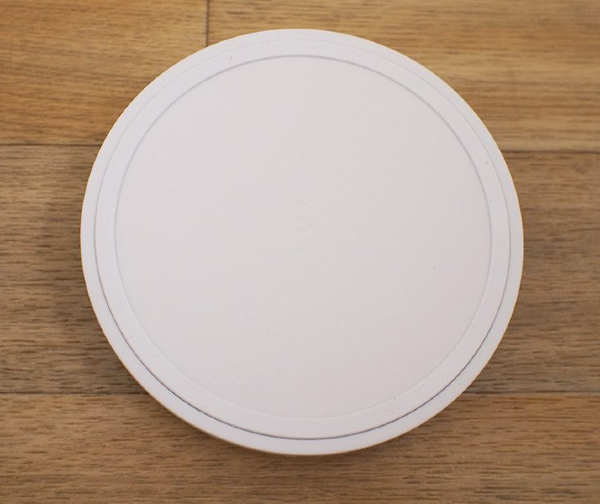
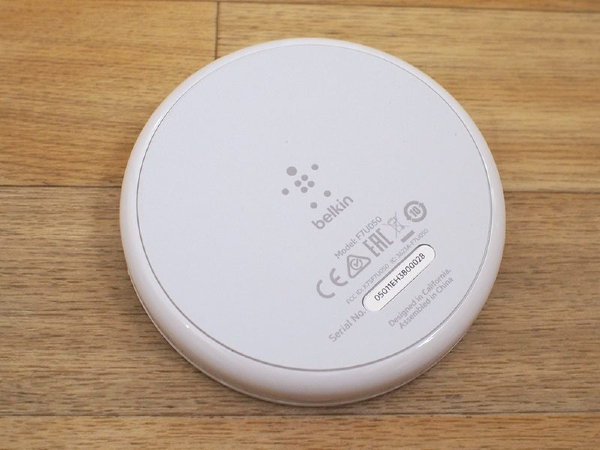
The Belkin Boost Up Bold Wireless Charging Pad is similar to the original Belkin Boost Up Wireless Charging Pad sold at Apple retail stores in that it offers the same simple, round shape, but it's smaller, which makes it easier to use.

I've used an original Belkin Boost Up Wireless Charging Pad on my nightstand for months, and it's been a frustrating experience just because it's so large. Finding the sweet spot on the charger to get my iPhone X to charge is one of my absolute least favorite late night activities, and with a smaller area for the Bold Charging Pad, I am able to get my iPhone X situated in the dark much more quickly.  

New charging pad on left, old charging pad on right

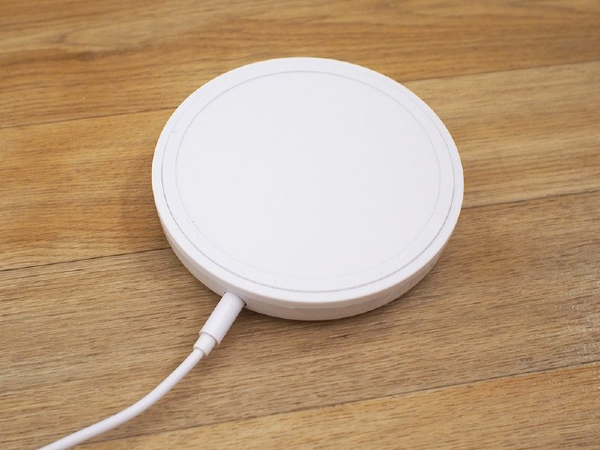
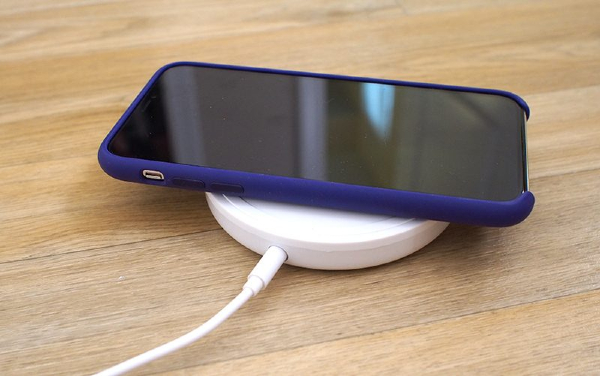
Belkin sells the Boost Up Wireless Charging Pad in pink, black, or white, and each is made from plastic and rubber. At the base, there's a rubber bottom to keep the Charging Pad in place on a desk or a nightstand, and there's a matching rubber ring at the top to prevent the iPhone from slipping when it's placed on the charger. 


The rest of the top of the charger is a soft, smooth material that has a subtle Belkin logo, and all in all, it's a clean, attractive charger with no obvious branding.
The side of the Charging Pad is made from a shinier plastic that goes well with the matte top, and an unobtrusive LED at the side comes on when the iPhone is in the right spot, which lets you confirm that it's being charged. I like the soft light that's included on the charger - it's not overly bright while providing me with charging status at a glance. 


This same LED will light up if a foreign object like keys or coins are placed on the charger that could potentially affect wireless charging speeds.  


At the back of the Charging Pad, there's a single hole for the power source. All 7.5W chargers need ~18W+ power adapters to charge at maximum speeds, so Belkin has included its own 22.5W adapter. The adapter has a rather large power brick for a wireless charger, which may be of concern if you have limited plug space. It otherwise has a long 1.5m cord that can reach a power strip underneath a desk.


Tuesday, 23 July 2019

Review Case-Mate Power Pad Wireless Charger Read And Buy

Buy Now From Amazon.com

Case-Mate - Qi Certified Wireless Charger - Power PAD - Fast Wireless Charger - with Stand - Compatible with iPhone Xs Max, iPhone XR, iPhone Xs, iPhone X, iPhone 8, iPhone 8 Plus - Black


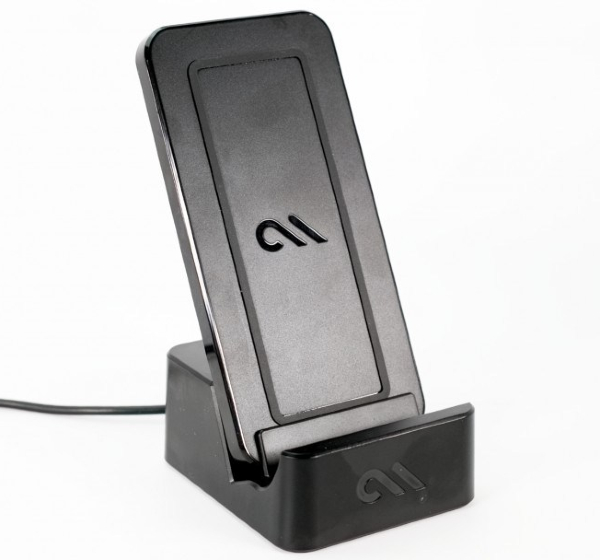
Case-Mate released its Power Pad Qi wireless charger last month and we’ve been testing it out for the last few weeks. With a unique design that allows it to stand or lay flat while in use, Power Pad is worth checking out. Read on for our full review.

"Most of the Qi chargers on the market are either pad (lay flat) or stand-style. Samsung does offer one of the few convertible models out there, but it has a pretty bulky design. With a simpler aesthetic and versatile functionality, Case-Mate’s Power Pad offers a compelling solution."

Specs

  • Stand included, works in portrait and landscape views
  • Fast charging compatible with Apple Devices: iPhone X, 8 Plus and 8.
  • Also fast charging compatible with Samsung Devices: S9, S9+, Note8 S8, S8+ and other Qi-enabled devices
  • 5-foot cable
  • Soft LED light indicator confirms charge initiation upon contact
  • Includes an 18W Adaptive Quick Charge USB Wall Adapter
  • Riser included for larger devices (iPhone 8 Plus, Samsung S9+, Note8, S8+)
  • 2-Year Warranty


Materials & Build

Power Pad is made with a plastic build. While you don’t get a premium feel like with some aluminum or metal options, it still feels well made. You’re also not paying a premium price for Power Pad, so it feels like a fair trade off.

"The charger features rubber on the base of both the stand and the pad for stability when using upright or in the lay flat position. There’s also a rubber outline on top of the pad for slip resistance. This is especially nice when charging a naked iPhone."

There’s a discreetly placed white LED on the back of the charging pad. I appreciate that you don’t really notice it unless you’re looking for it.

Power Pad comes in black and white and comes with an 18W power adapter (the USB cable is built-in to the pad). One last addition is a riser block to help larger devices like iPhone 8 Plus be in the correct alignment with the Qi charger. I also found a secondary use for the riser block, more on that in a moment.

Case-Mate includes a 2-year warranty with the wireless charger.


In Use

In my time with Power Pad, I’ve found it to be a reliable and useful wireless charger. Up until now I’ve been using lay flat models and I really like the upright functionality with the option to switch it up when needed. Having a wireless stand charger has been great for use in the kitchen and I’ve also found it convenient on my bedside shelf and office desk.

"Power Pad’s design is dead simple, so you can instantly switch from stand to lay flat by just lifting the pad off the stand."

One drawback I found with Power Pad was the Home indicator being covered up just enough when in stand mode to be a hindrance. I started using Siri to open apps more frequently as a work around, but then realized I could easily repurpose the included riser block to sit under my iPhone X instead of under the Qi charger for a handy solution.


Using the included riser to solve the Home indicator issue

As I’ve mentioned before, speed isn’t a concern or consideration for me with wireless chargers. For me it’s really about the convenience of being able to plop down my iPhone before bed or on my desk without having to plug in.

"If you need fast charging, you should pick up a USB-C to Lightning cable and power adapter (or use a 10W brick for almost the same speed)."

Another consideration when using a stand-style wireless charger is that your iPhone will be a bit wobbly when you’re not using a case due to the camera bump. This is something to think about with any wireless charger, but I found Power Pad to be more pleasant to use with a case.


The only other aspect I think Case-Mate could improve with a future Power Pad version would be to simplify and minimize the base. I like how the pad portion is slim and covered when in use, but the base feels a bit bulky.

Conclusion

With its convertible design and versatile functionality, Power Pad is definitely worth considering. While it would be great to see a Power Pad in the future with a metal build and slimmer base, the current model feels like a good value.

Power Pad’s standard retail price is $60, but you can currently find it on Amazon for $47.39 (with extra 10% off extra savings).


Review CHOETECH Air Vent Phone Holder 10W Fast Wireless Car Charger Read And Buy

Buy Now From Amazon.com

CHOETECH Fast Wireless Car Charger,Easy One Touch Automatic Air Vent Mount Phone Holder,10W Compatible for Samsung Galaxy S9/S9+/S8/S8+/Note 8/Note 9,7.5W Compatible for iPhone XS Max/XS/XR/X/8/8 Plus

CHOETECH Air Vent Phone Holder 10W Fast Wireless Car Charger auto charger works with QI empowered gadget like iPhone X/iPhone XS/iPhone XS Max/iPhone XR/iPhone 8/8 Plus, Samsung GalaxyS9/S9+/Note 8/Note 9/S8/S8 Plus/S7/S7 Edge/Note 5/S6/S6 Edge/S6 Edge Plus/Nokia 9 and other Qi-Enabled gadgets. 2 of every 1 work remote auto charging holder, holding your telephone while charging in auto.

"We would like to appreciate and Thanks To Choetech Offical for providing us unit of Choetech Air Vent Phone Holder to MobileAccessories10 "
Unboxing
Let’s unbox and see what we have inside the box. It comes with the one Wireless Car Charger and the user manual where you can read how to use this device and the one cable for the Charger.


Design

If we talk about the design of  Wireless Car Charger it comes with the best design includes the grip the provide in the design which won’t let you smartphone slip. it also has the coil system you just need to put your smartphone on the charger and yes it will charge easily. it has the back grip to put on the car. it comes with the black glass and front written Choetech. Wireless auto charger holder can be utilized as a remote charger and additionally an automount. simply put and appreciate remote charging, without to connect your gadget to the USB port. Telephone holder width is 2.6-4 inch, work with general telephones.


Wireless Car Charger charging is believed to be an extremely helpful charging strategy for many individuals and yet, there are those that think remote charging isn’t so valuable as wired charging. Both of those contentions are right in their own specific manner. so this is the best and lightweight design of Car Wireless Charger.


Features 

Wireless Car Charger has the lots of features includes where wired charging can charge cell phones at a quicker charging rate, and that is the situation whether your cell phone is Quick Charge perfect or not. In the event that your cell phone is Quick Charge perfect, at that point. Fast remote energize to 10W for the Samsung Galaxy S9, S9 Plus, S8, S8 Plus, Note 9, Note 8, S7, S7 Edge, S6 Edge+, 7.5W remote charging for iPhone X/XS/XS Max/XR/8/8 Plus ( QC2.0/3.0 adapter& usb c 2.0/3.0 link required for quick charge) and 5W standard remote charge for all Qi-empowered Phones


wired accusing of a Quick Charge charger is quicker.  remote charging has its place with it being an exceptionally available method for charging our gadgets as you don’t need to connect a charging link to the cell phone by any stretch of the imagination. Something else about remote charging is that it is able to do quick remote charging speeds, however, it’s solitary good with select gadgets.


Wireless auto charger with obsession plan and non-scratch silicone defensive tangle, your telephone can be held immovably and safely. The 360°rotating rotating appendage on the two mounts empowers adaptable survey edges while driving, remote charge vertically. The remote auto charger mount with movable foot bolster configuration to discover the Qi beneficiary spot of your cell phones, kindly press the base catch at the back to make foot bolster totally down, and after that change it to guarantee powerful remote charging arrangement for consistent charge.


Compatible Devices 

For the  10W Fast Charge Phones
  • Samsung Galaxy Note 5/8/9
  • Samsung Galaxy S6 Edge+/S7 Edge
  • Samsung Galaxy S7/8/9 and S8+/S9+
  • 7.5W Fast Charge Phones
  • iPhone X
  • iPhone 8
  • iPhone 8+
The 5W Standard Charge Models
  • Samsung Galaxy S6
  • Samsung Galaxy S6 Edge
  • Nexus 7; second Gen
  • Nexus 4/5/6
  • Nokia 8
Safety Protection
Voltage gives the smartphone protection from the overvoltage or the low voltage it will give the perfect and fine voltages to any smartphones. Temperature Protection comes with the features of it won’t overheat your smartphone it will make the device cooler and handle them easily  Stable Protection which makes the device stable nor for over voltage not for temperature it will give the smooth performance.


Conclusion

CHOETECH Air Vent Phone Holder 10W Fast Wireless Car Charger comes with the excellent features and fast charging support upto 10W and other what  CHOETECH Air Vent Phone Holder 10W Fast Wireless Car Charger has the best design with lightweight so you can connect your smartphone with the car air vent easily. you can easily buy with the Price $34.99  this from Amazon as well as from the Choetech Officials.


Save 75% on the eligible item(s) below.


Google Pixel Stand review: One Of The best accessory of Google

Buy Now From Amazon.com

Google Wireless Charger for Pixel 3, Pixel 3XL - White


What is a Google Home, really?
If you think about it, the Google Home is just a way for Google’s virtual assistant to express itself. Assistant can live in speakers and headphones, smart displays and smartwatches, but the core function of the Google Assistant is to always be there when you need it. That’s why the Google Home was made to blend into your home decor and that’s also why it looks like an air freshener.

A few days ago, Google introduced the Pixel Stand. While it might look like any other wireless charging stand from the outside, Google has cooked up some fresh ideas that lets its Assistant exist in a new way, on a device it already inhabited.

So how does it work, and what’s so special about it, anyway? Read our full Google Pixel Stand review to find out.

A quick note: As Kris already mentioned, we are holding off on our Pixel 3 review for a few days. Stay tuned for the full review in a few days!

The basics, but better


Google’s new Pixel Stand is definitively Google. That’s to say, it’s an object that blends into your home almost seamlessly, with a stark white silicone body and colorful base. Unfortunately, this might not work as well in more mixed decor. The Pixel Stand works best when you forget it’s there, just like a Google Home. In Google’s vision of the world, that would be a bright white room with color only being introduced from accent pieces like paintings and trinkets. Google designs their products for idealistic scenarios, and I wish they would have offered the Stand in more than its one color — white.

The Pixel Stand uses Google’s new fast wireless charging tech. That’s 10 watts of power being pumped into your Pixel through the air, and it also works with cases — even the relatively thick Moment case I’ve been rocking since launch. While it isn’t quite as fast as USB Type-C quick charging through its included 18-watt fast charger, Google has pulled some compelling tricks to keep your Pixel on its stand longer than usual. More on that later. 

Charge whatever you like, but the Pixel 3 will charge smarter.

This Stand uses the Qi charging standard, so any device with Qi wireless charging capabilities will work just fine with the charger, but the special features are reserved for the Pixel 3. Because the Pixel Stand has two separate charging coils, you’re able to set your device on it in either a portrait or landscape orientation and still get a jump. Pretty nifty.


More than just charging

Google is charging $71 for the Pixel stand, and that’s kind of a lot of money. You can get hundreds of wireless chargers for far cheaper than this first-party option, so Google had to add something that made the Pixel Stand in particular worth your money. In the end, Google did exactly what it did for image processing on the Pixel 2 XL — it shifted some smarts onto a separate microprocessor.

Obviously, this microprocessor isn’t as complex as the Pixel Visual Core. Instead of performing image recognition through machine learning, the Pixel Stand’s microprocessor checks to see that your phone is actually a Pixel 3, then stores a unique ID to pair it so it can recognize it again later. It does this because the Stand can host multiple Pixels and perform different actions based on how the user set it up to work on that particular Stand. This is useful if you have multiple Pixel Stands, like one at your bedside you use like a digital photo frame in Do Not Disturb mode and one at your work desk you use as a clock. Unique identifiers for each phone-stand combination are also useful if other people in your home own a Pixel 3 as well.

The actions your phone can trigger could be as simple as putting your phone into Do Not Disturb mode while on the Pixel stand, or even telling your device to turn the screen off if it detects darkness.

Many of the actions the Pixel Stand enables play into Google’s Digital Wellbeing initiative, and I think it’s a brilliant use of a wireless charger. The Stand encourages you to leave your phone on the Stand while still remaining useful.

In its default state, the Pixel Stand will show the time alongside your notifications and a new interface for Google Assistant. You can press the Assistant button to trigger voice actions, but Google would prefer that you use the “Hey Google” hotword to start talking instead. There’s a reason the Pixel 3 has front-facing speakers — it transforms into a Google Home.

You can ask the Assistant to tell you about your day, which will do things like read the news and let you know when you should leave for work. You can also take advantage of the Assistant’s Routines feature to trigger other aspects of your smart home like starting up a smart coffee maker or turning on your lights. Routines is an extremely powerful feature, and it’s nice being able to automate things from the comfort of your bed.


 Another action Google has introduced with the Pixel Stand is Photo Frame. This action uses your Pixel 3 as a digital frame of sorts, parsing through your Google Photos albums much like the Chromecast can do. It can also use some AI smarts to automatically select the best images from your library, and it works shockingly well. I don’t have my Photos library sorted at all, and it’s filled with random device photos and screenshots from benchmarking phones. To my surprise, Photo Frame mostly picked the photos I shot with my actual mirrorless camera, as well as the best images I’ve shot with phones, and primarily showed me images of people smiling.


 Google is also introducing a new feature called Sunrise Alarm. This uses the OLED display on your Pixel 3 to slowly raise the brightness of the screen with a solid color, ambiently waking your body even if it doesn’t jolt you awake. The process starts 15 minutes before your actual alarm is set to go off, and if you’re lucky, it might help you wake up without the need for a loud and annoying alarm clock. If you do reach the point where your actual alarm goes off, you should be more prepared to wake up and feel better during the morning — at least in theory. This feature hasn’t launched yet, but we’re excited to test it out as soon as it hits devices later this month.


Why it’s amazing

From the outside, the Pixel Stand looks like a wireless charger with a few extra features. When you combine those features with the power of Google’s Assistant, you start to see where this accessory brings a massive amount of value.

Google doesn’t care about its hardware as much as it cares about making the Assistant a part of your life. The more vessels the Assistant can live in the better, and Google is developing more innovative ways to get the Assistant into the products we use on a daily basis.
The whole point of the Assistant is to exist all around you. Whether that’s through a Google Home, Google Assistant-enabled headphones, a Smart Display, or even your phone, Google wants you to have access to the Assistant wherever you are. Why are Google Home Mini and Google Home Hub so affordable? Google wants the Assistant to be in every room of your home.

For better or worse, your phone is now a Google Home.

In this vein, the Pixel Stand transforms your phone into a Google Home. Sure, you can technically call on the Assistant from your phone wherever you are, but Google wants to encourage you to use the Assistant instead of your screen. It does this with the promise of rapid charging your phone for when you need to leave the house, and the extra functionalities like Photo Frame encourage you to leave your phone on your stand and rely on your voice to make searches. Google is pushing us into a voice-first world.

The Pixel Stand is also an enormous push in Google’s Digital Wellbeing feature. With the functionality the Pixel Stand promises, users are encouraged to dock their device on the stand when they get home and leave it there until it helps them wake up more naturally in the morning. Instead of stressful messages and notifications, you’re greeted by memories which are automatically chosen from your messy Google Photos library. Google wants us to live in a world where we don’t use our phone at all while we’re at home, and that’s a reality I would be incredibly excited to live in. Of course, in this idealistic worldview it’s only Google services that deserve a pass.

In the end, it comes down to thinking of our phones as utilities. Sure, they can be sources of entertainment when we’re not doing much else, but apps have shifted from mindless games to being primarily used for work. Slack alone is installed on over 10 million devices worldwide, and hearing that hair-raising ping just as you’re settling down to relax is something we could all live without.


Google’s best accessory ever… if you’re willing to pay for it

The Pixel Stand may not seem like much, but I think it’s the best accessory Google has ever made (I consider the Chromecast a full product, not so much an accessory). In classic Google fashion, its core purpose is a symbiotic relationship, drastically increasing the number of voice queries while at the same time helping you remove yourself from the screen you’re glued to 50 percent of the day. Google knows ad revenue won’t last forever, and it has been rapidly trying to get users onboarded to using voice as their primary method of interacting with computers.

$79 is a bit of a hefty price to pay, and I am honestly a little surprised that Google didn’t price this more aggressively. There’s no way the hardware costs anywhere close to $79 to produce, and the value of onboarding a customer onto Google Assistant is a big win for Google. I’d like to see Google sell bundle deals that reduce the price of the Pixel Stand when ordering a Pixel 3, but we’ve yet to see any such bundle hit the Google store. Carriers do bundles like this fairly regularly though, and it’s possible we’ll see something concrete as we approach the holiday season.

 If you don’t mind the $71 price tag, the Pixel Stand is one of the coolest accessories you can buy for your new Google Pixel 3. I want one for the sole reason that it removes me from my phone while I’m at home, and I think anyone could benefit from that in 2018.

Specs
Power output  10w
Standard  Qi
Dimensions (phone size maximum)  3.6″ x 4.1″
Weight 160g (5.6oz)
Cable included? Yes
AC adapter included? Yes

Review Moshi Otto Q Wireless Charging Pad

Buy Now From Amazon.com

Moshi Otto Q Wireless Charger Pad, Qi Certified Wireless Charging Pad, Supports 10W Fast-Charging, Anti-Slip Rubber Base and top,no Wall Charger Include

"We like the style of this wireless charging pad from Moshi. It has a practical, gray fabric finish with a silicone ring in the middle that ensures your phone won’t slip off the sweet spot. Functionally it can put out up to 10W, so it will fast charge a Samsung Galaxy or an Apple iPhone at their top speeds of 9W and 7.5W, respectively. It comes with a 3-foot, gray, plastic USB-C to USB-A cable, but sadly there’s no wall charger in the box, so you’ll need to pair it with one rated at 12W for best performance."

"Although small and light, the bottom of the charging pad is silicone and it grips well on most surfaces. The finish on the top is ideal if you don’t like to cover the glass back of your phone with a case, as it both pads and grips the back of your phone. It can also charge through most cases without issue. There is a small, white LED on the front which pulses gently when charging and stays lit when your phone is fully charged. It’s not too bright compared to some others, but you might want to make sure it faces away from you if you’re placing it on your nightstand."

Specs
Power output  10w
Standard  Qi
Dimensions (phone size maximum)  4″ x 4″ x 0.5″
Weight 103g (3.6oz)
Cable included? Yes
AC adapter included? No